Put RepRoute on your home screen.
No app store, no download wait. It installs straight from the browser — opens full-screen, launches instantly, and keeps logging your sets even when the gym Wi-Fi drops.
Works in Safari only — not Chrome or an in-app browser. Four taps:
- 1
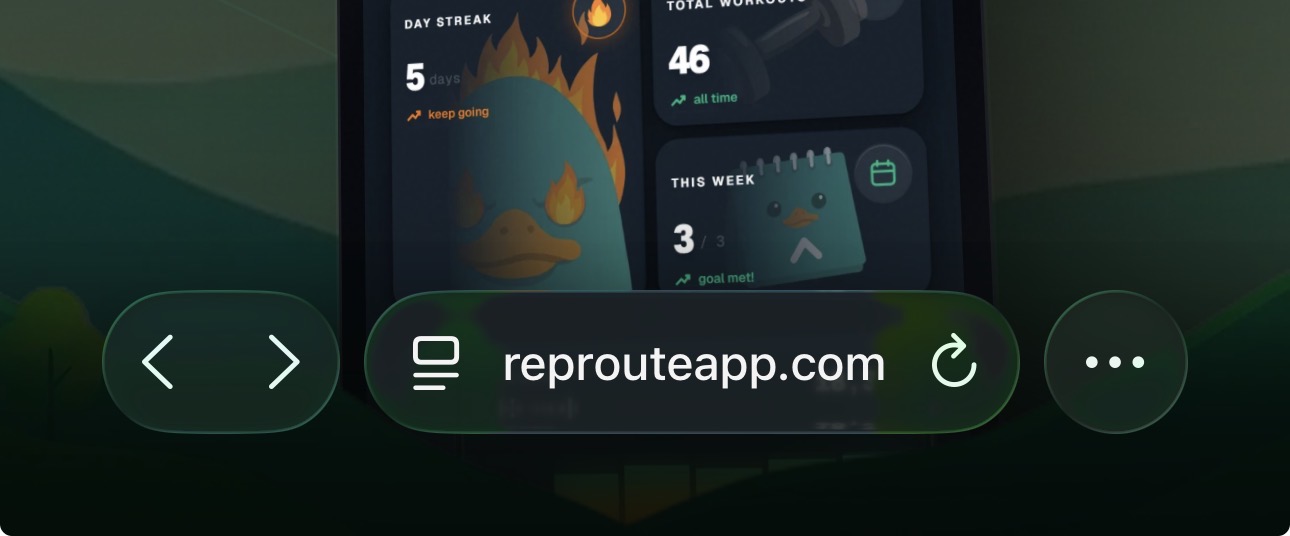
Tap the ••• menu
Bottom-right corner of Safari.
- 2
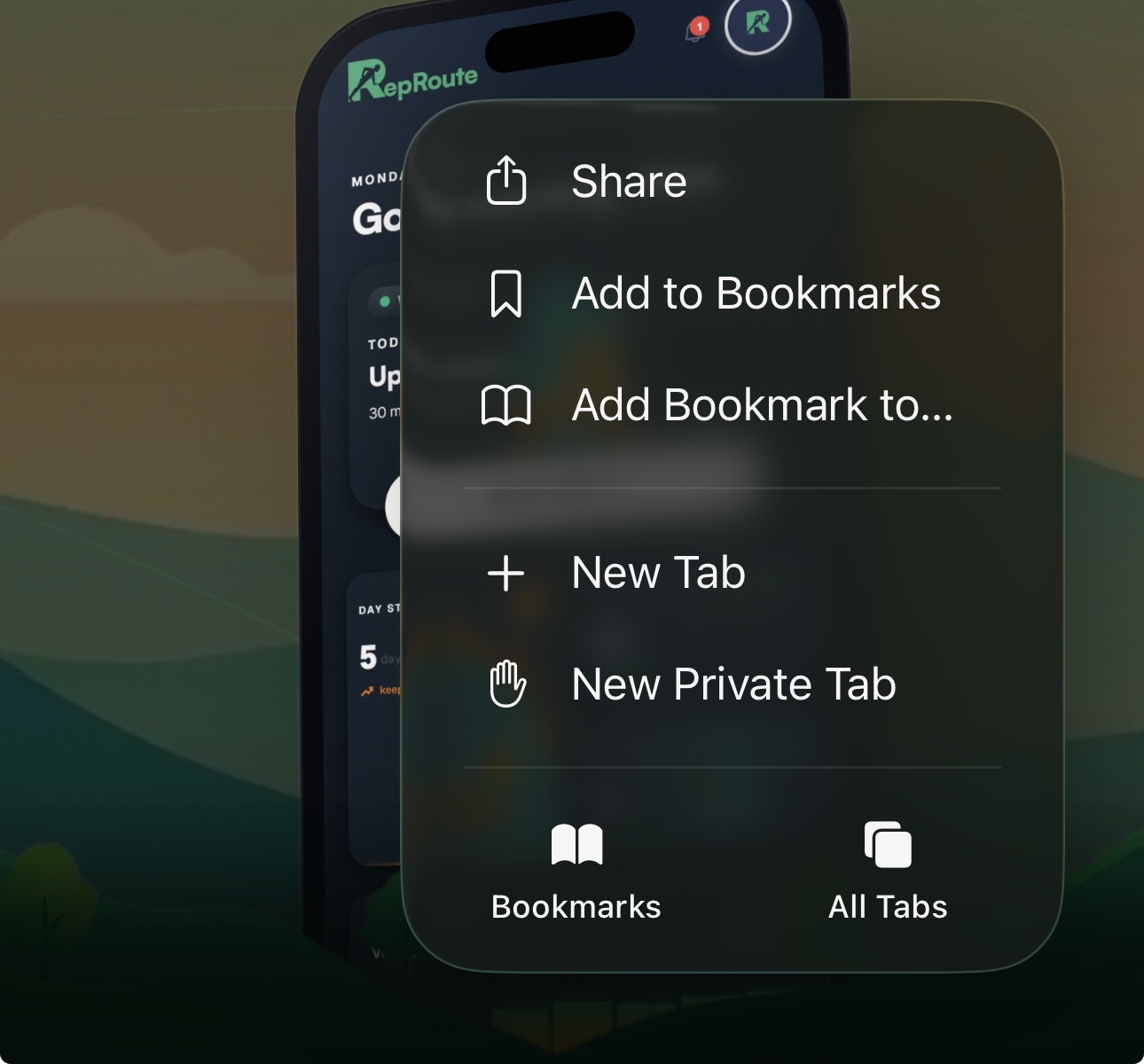
Tap “Share”
Right at the top of the menu.
- 3
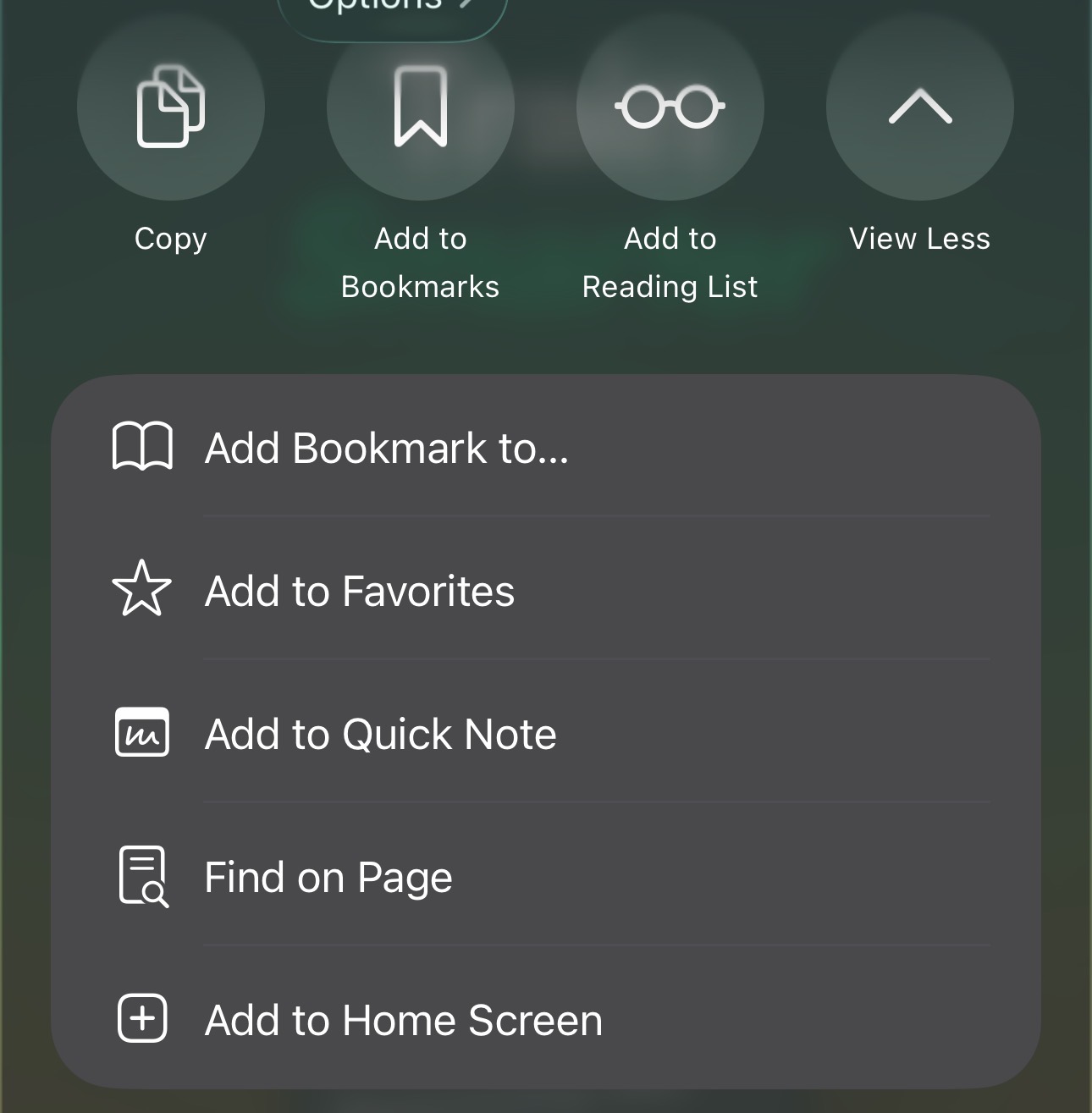
Choose “Add to Home Screen”
Scroll down the share sheet if you don’t see it yet.
- 4
That’s it 🎉
RepRoute now lives on your home screen — opens full-screen and works offline.
Don’t have an account yet?
Get started — free